AI Face Shape Detector

Front-facing, well-lit, no sunglasses or heavy filters.

Your photo is used only for this analysis

Visiva logoKling logoVeo logoSora logoPixVerse logoVidu logo

Why Choose Visiva AI Face Shape Detector

Not sure whether your face is oval, round, square, heart, diamond, or oblong? Visiva AI Face Shape Detector analyzes your facial outline and proportions from a photo, then gives simple style ideas for hairstyles, glasses, makeup, and profile photos.

AI Face Shape Detector: Find Your Face Shape Online

Our AI Face Shape Detector helps you analyze your facial outline from a photo and identify your likely face type in seconds. Upload a clear face photo, let AI scan your forehead, cheekbones, jawline, chin, and overall proportions, then get easy style ideas for hairstyles, glasses, makeup, and profile photos.

AI Face Shape Detector
  • Detect Your Face Shape from a Photo

    Finding your face shape by yourself can be confusing. Lighting, hairstyle, camera angle, and expression can all change how your face looks. Our AI Face Shape Detector makes the process easier by analyzing your facial structure from a clear photo.

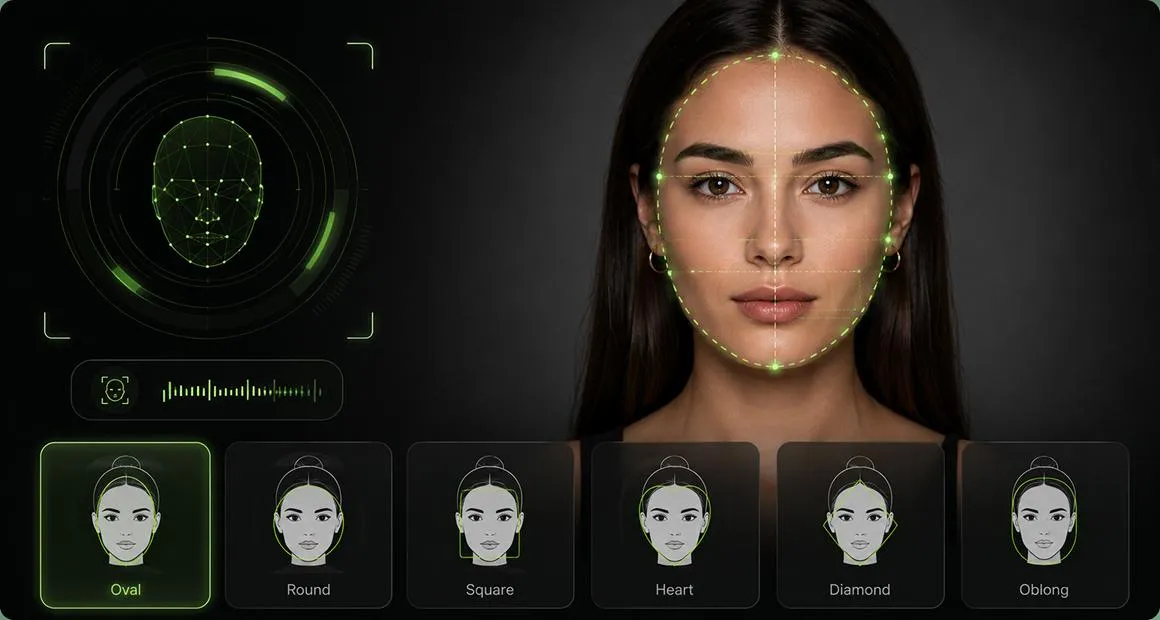
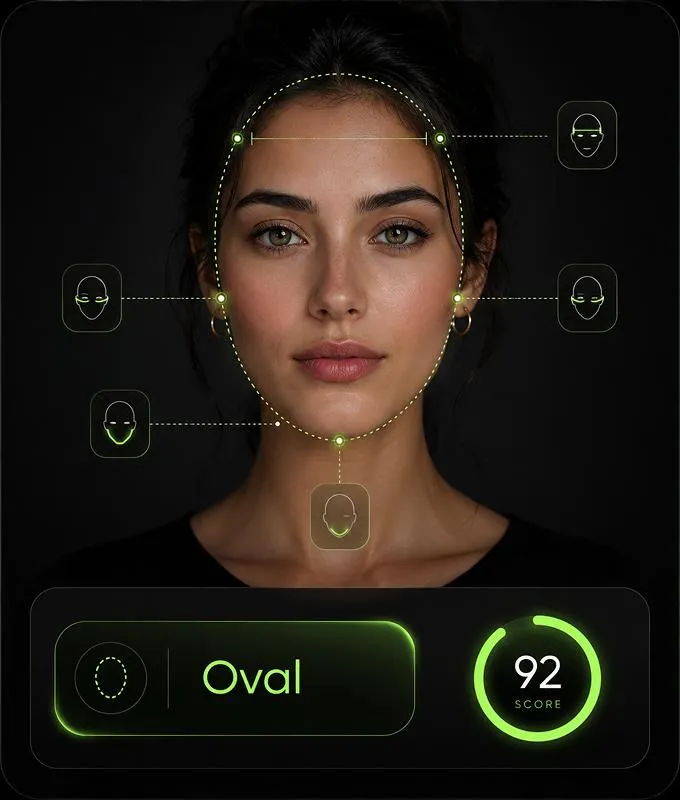
    The AI reviews key facial areas such as:

    • Face length and width
    • Forehead width
    • Cheekbone position
    • Jawline shape
    • Chin shape
    • Overall facial outline

    Then it gives you a likely face shape result, such as oval, round, square, heart, diamond, or oblong. You can use the result as a simple reference before choosing a new haircut, glasses frame, makeup style, or profile photo angle.

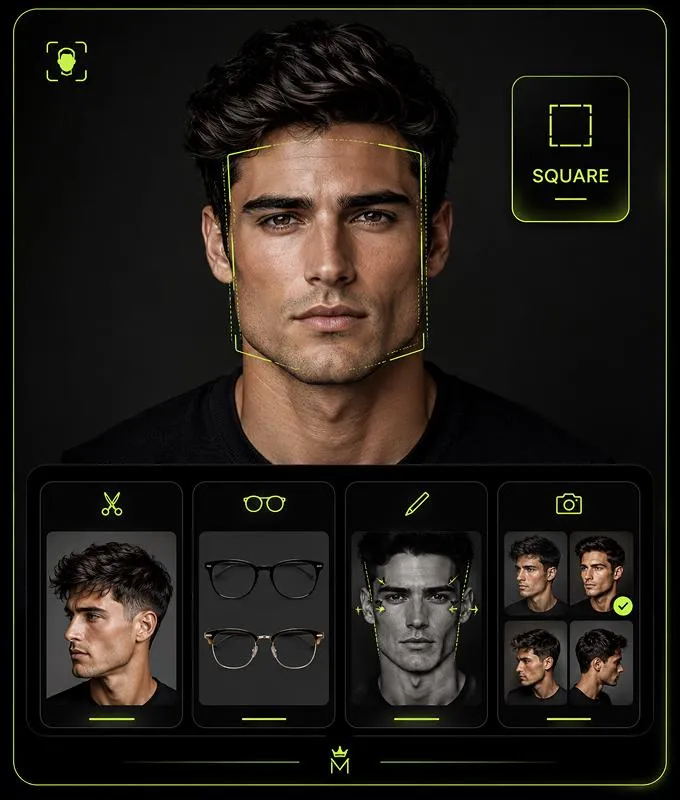
  • Get Hairstyle, Glasses, and Makeup Ideas

    Your face shape can be a useful guide when choosing a style. The right haircut, frame shape, or makeup direction can help balance your natural features and make your overall look feel more intentional.

    With our AI Face Shape Analyzer, you can get ideas for:

    • Hairstyles that match your face shape
    • Bangs, layers, waves, volume, or short cuts
    • Glasses and sunglasses frame shapes
    • Makeup and contour direction
    • Eyebrow shape ideas
    • Profile photo angles
    • Simple style adjustments for everyday looks

    This is not about changing your face. It is about understanding your features better and finding styles that feel natural for you.

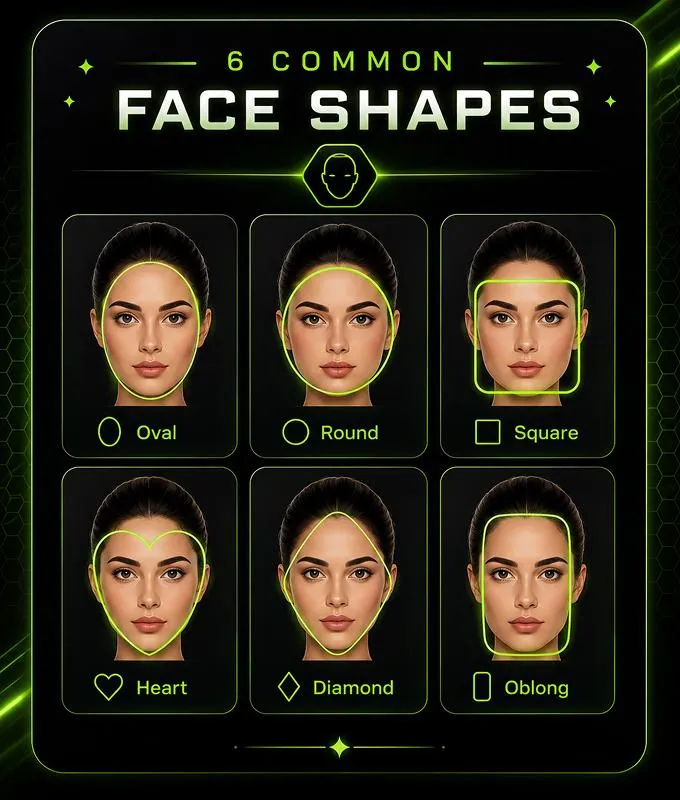
  • Understand the 6 Common Face Shapes

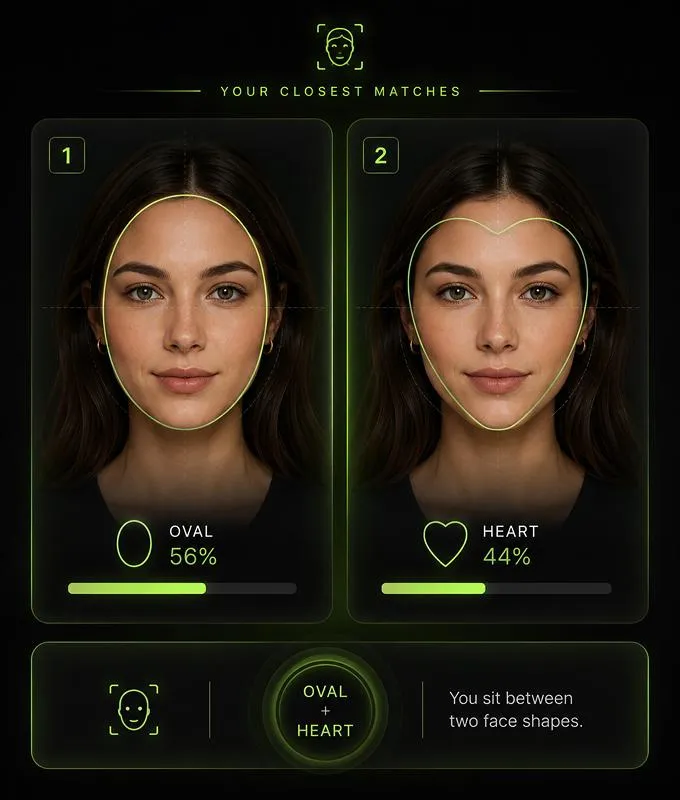
    Most people fall into one main face shape, or a mix of two. Our face shape finder helps you understand which type your photo is closest to. Your result does not have to be perfect. Many faces sit between two types, such as oval-heart or round-square. The goal is to give you a practical style reference, not a strict label.

    Common face shapes include:

    • Oval Face — balanced proportions, slightly longer than wide, softly rounded jawline
    • Round Face — similar length and width, soft curves, fuller cheek area
    • Square Face — stronger jawline, similar width across forehead, cheekbones, and jaw
    • Heart Face — wider forehead or cheekbones, narrower chin
    • Diamond Face — wider cheekbones with a narrower forehead and jawline
    • Oblong Face — longer than wide, straighter cheek line, more elongated outline

Multiple Face Shape Insights

  • AI Face Shape Detector
  • AI Face Shape Detector
  • AI Face Shape Detector
  • AI Face Shape Detector

Hear From the Creators Who Use Visiva AI Every Day

5.0

As a freelance illustrator, I often have finished character images but no time to animate them properly. Visiva has made that part much easier for me. I can upload a still artwork, choose a motion style, and get a short video that keeps the original feeling of the drawing. Some generations still need small adjustments, but the overall result is much better than I expected.

@miradraws

@miradraws

Freelance Illustrator

5.0

I mainly use Visiva for fan edits and character pairing videos. Before this, I had to spend hours cutting clips, adding camera shake, and trying to make one image feel dramatic. Now I can turn a single picture into a moving scene in a few minutes. It is not always perfect on the first try, but when the motion works, it really saves the whole edit.

@kairoclips

@kairoclips

Fan Edit Creator

4.0

As a social media designer, I need quick visual ideas almost every day. Visiva is useful when a static post feels too flat but I do not have enough material to make a full video. I can test different motions, export a few versions, and pick the one that feels most natural. The workflow is simple, especially when I do not want to write a long prompt.

@elliotframes

@elliotframes

Social Media Designer

5.0

I run a small online store, and making product videos used to take too much time. With Visiva, I can upload a clean product photo and turn it into a short motion ad for TikTok or Instagram. It is not the same as hiring a whole video team, but for daily content and quick campaign tests, it is honestly very practical.

@noahmakesads

@noahmakesads

Small Business Owner

5.0

I have tried a few AI video tools before, but many of them changed the face or made the character look strange. Visiva feels more stable for the kind of anime-style images I usually work with. I like that I can start from templates and then adjust the motion later. It makes the whole process less technical and more fun.

@luna_afterhours

@luna_afterhours

Anime Edit Hobbyist

5.0

As a content creator, I do not always have the energy to film or edit something from zero. Visiva helps me turn one idea or one image into a video that is good enough to post. I still regenerate when I want a cleaner result, but the speed is the main reason I keep using it. It makes daily posting feel less heavy.

@maddie.mov

@maddie.mov

TikTok Content Creator

How to Use the AI Face Shape Detector

  1. Step 1 — Upload a Clear Face Photo

    Choose a front-facing photo with good lighting. Make sure your face outline is visible and not covered by hair, sunglasses, masks, or heavy filters.

  2. Step 2 — Let AI Analyze Your Features

    The AI scans your facial outline, forehead, cheekbones, jawline, chin, and overall proportions to detect your likely face shape

  3. Step 3 — View Your Face Shape Result

    Get your face shape result and simple style suggestions for hairstyles, glasses, makeup, and profile photo ideas.

FAQs

AI Face Shape Detector

An AI Face Shape Detector is an online tool that analyzes your face photo and identifies your likely face shape, such as oval, round, square, heart, diamond, or oblong.

Find Your Face Shape with AI

Our AI Face Shape Detector helps you identify whether your face is closer to oval, round, square, heart, diamond, oblong, or a mix of shapes. Upload a clear face photo and get simple style ideas for hairstyles, glasses, makeup, and profile photos based on your facial outline. It is an easy way to understand your features before trying a new look.